
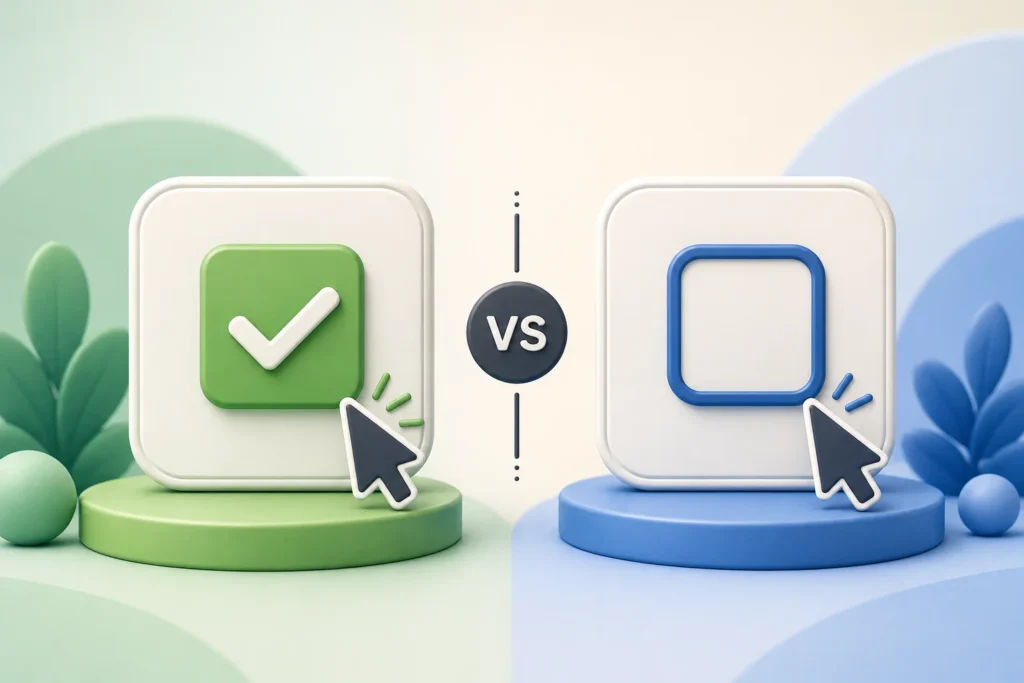
When writing instructions for software, websites, apps, or everyday digital tasks, choosing the right word matters. Many people wonder whether they should say “unselect” or “deselect” when they want someone to remove a choice they previously made.
Both words communicate a similar idea, but they do not carry the same level of acceptance in modern English. The word deselect has become the preferred term in technology, user interface design, programming, and professional documentation. Meanwhile, unselect remains understandable but appears less often in formal writing.
This difference may seem small, but clear terminology helps users complete tasks faster. A person following software instructions should not have to guess what a button or command means. Consistent language creates a smoother experience, especially in applications where users make hundreds of selections every day.
For example, when you choose several files before uploading them, you may later decide that one file should not be included. Most professional software instructions will tell you to deselect that file rather than unselect it.
Understanding why one term became standard can help writers, developers, editors, and everyday users choose words that sound natural and professional.
Quick Answer: Should You Use “Unselect” or “Deselect”?
The simple answer is: use deselect in most situations.
The word deselect is the standard term used in technology, software interfaces, user guides, and technical documentation. It clearly describes the action of removing an existing selection without deleting the item itself.
The word unselect is not completely meaningless. People understand it because the prefix “un-” often means reversing an action. However, it is less common in professional technology language.
Here is the basic difference:
| Word | Meaning | Common Use | Recommended Usage |
| Select | Choose or highlight something | Software, documents, menus | Recommended |
| Deselect | Remove a previous selection | Apps, websites, programming, documentation | Recommended |
| Unselect | Reverse the act of selecting | Casual speech and informal writing | Limited use |
A simple way to remember it:
Select = choose something
Deselect = remove that choice
For example:
- “Select the images you want to upload.”
- “Deselect any images you no longer want included.”
These sentences match the language used across most digital platforms.
The Correct Choice at a Glance
When creating professional content, software instructions, or technical documentation, deselect is almost always the better choice.
Writers commonly use it in situations involving:
- Checkboxes
- Text highlighting
- Files and folders
- Menu options
- Multiple selections
- Design tools
- Programming interfaces
Consider these examples:
Preferred wording:
“Deselect the checkbox if you do not want email notifications.”
Less preferred wording:
“Unselect the checkbox if you do not want email notifications.”
The second sentence is understandable, but it does not match the terminology users usually see in digital products.
The reason is consistency. Software companies spend years developing familiar language patterns. Once users learn that select and deselect represent opposite actions, they can navigate new applications more easily.
When “Unselect” May Still Be Understood
Although deselect is the preferred term, unselect still appears in conversations and informal instructions.
For example:
“Unselect the pictures you don’t want.”
Most readers will understand this immediately.
English often creates new words naturally. People add prefixes such as:
- un- for reversing an action
- re- for doing something again
- de- for removing or reversing something
Because of this pattern, unselect feels logical.
However, technology does not always choose words based only on logic. Industry standards, user habits, and software history influence which terms become common.
A person might understand “unselect,” but a technical writer creating documentation for thousands of users will usually choose “deselect” because it matches established software language.
Why “Deselect” Is Preferred
The popularity of deselect comes from several factors:
- It directly mirrors the word select.
- It appears frequently in software interfaces.
- Developers use it in programming discussions.
- Technical writers prefer consistent terminology.
- Users recognize it from common applications.
The prefix “de-” often indicates removal or reversal.
Examples:
- Activate → Deactivate
- Compress → Decompress
- Encrypt → Decrypt
- Select → Deselect
This pattern makes deselect feel natural in technical environments.
What “Select,” “Deselect,” and “Unselect” Actually Mean
To understand the difference between these words, it helps to examine what happens during a typical digital action.
Most computer interactions follow a simple process:
- A user chooses an item.
- The system marks that item as selected.
- The user may change their mind.
- The system removes the selection.
Each stage has its own terminology.
The first action is selecting.
The opposite action is usually called deselecting.
Meaning of “Select”
The word select means to choose something from a group of available options.
In everyday life, you might:
- Select a restaurant from a list.
- Select a product to purchase.
- Select a course at school.
In technology, the meaning becomes more specific. Selecting tells a computer that a user wants to interact with a particular item.
Examples include:
- Clicking a file name to highlight it.
- Dragging over text to copy it.
- Choosing a setting from a menu.
- Marking several photos for upload.
When you select an item, the system usually changes its appearance.
Common visual indicators include:
- A highlighted background
- A checkmark
- A colored border
- A filled checkbox
- A selected menu state
For example, when you click a document icon on your desktop and it becomes highlighted, the computer recognizes that you selected it.
Meaning of “Deselect”
The word deselect means removing the active selection of something.
It does not mean deleting, disabling, or removing the item completely.
This difference is important.
Imagine you select five files to upload. Later, you decide that one file should not be uploaded.
You do not delete the file.
You simply deselect it.
The file remains available, but the system no longer considers it part of your current selection.
Common examples:
- Deselect a checkbox.
- Deselect a highlighted sentence.
- Deselect a layer in design software.
- Deselect a selected object.
- Deselect a file from a group.
In user interface design, this distinction prevents confusion. A user should know whether they are removing an item or simply removing its selected status.
Meaning of “Unselect”
The word unselect attempts to describe the same action as deselect.
It suggests reversing a previous selection.
For example:
“Unselect the option before continuing.”
The meaning is clear. The reader understands that the option should no longer be chosen.
However, unselect is less established in technical vocabulary.
The issue is not understanding. The issue is standardization.
Technology depends on predictable language. If every application used different terms for the same action, users would spend more time learning interfaces.
Are “Unselect” and “Deselect” Synonyms?
In many situations, yes. Both words can describe removing a selection.
However, they are not equal in professional usage.
The difference is mainly about acceptance and context.
| Situation | Better Choice |
| Software documentation | Deselect |
| User interface instructions | Deselect |
| Programming discussions | Deselect |
| Casual conversation | Either may work |
| Informal messages | Unselect may be understood |
For example:
Professional:
“Deselect the layers you do not want included in the export.”
Casual:
“Just unselect those pictures.”
Both communicate the idea, but the first one fits a technical environment.
How Context Changes Their Meaning
Context determines whether a word sounds natural.
A friend explaining a phone setting may say:
“Unselect the option you don’t need.”
Nobody will likely misunderstand.
A software company writing a help article may write:
“Deselect the option to disable this feature.”
The second version feels more official because it follows common digital terminology.
Words in technology are not chosen randomly. They become popular because millions of users see them repeatedly.
When people encounter the same terms across websites, applications, and documentation, those words become easier to recognize.
That is exactly what happened with deselect.
Is “Unselect” a Real Word?
Many people ask whether unselect is a proper English word or simply an informal expression.
The answer depends on how language is viewed.
English is constantly changing. New words appear when people need them. Some become widely accepted while others remain limited to specific communities.
Unselect is understandable English, but it has not achieved the same level of recognition as deselect in professional and technical contexts.
Is “Unselect” in the Dictionary?
The recognition of unselect varies between dictionaries. Some may include it or acknowledge its usage, while others may focus more heavily on deselect.
A dictionary listing does not always determine whether a word is commonly preferred. Many words exist in English but are rarely used in professional writing.
For example, a word can be understandable without being the best choice for:
- Software instructions
- Academic writing
- Technical manuals
- Professional communication
Is “Deselect” in the Dictionary?
Yes, deselect is widely recognized as a standard English term.
Dictionaries generally define it as removing a selection or canceling a previous choice.
Its stronger recognition comes from widespread use in technology.
Software developers, interface designers, and technical writers adopted the term because it created a clear opposite pair:
Select → Deselect
This relationship is easy for users to understand.
Why Dictionaries Recognize One More Widely Than the Other
Language acceptance depends on repeated usage.
A word becomes established when it appears regularly in:
- Books
- Websites
- Professional documents
- Software interfaces
- Industry publications
The technology industry strongly favored deselect, which increased its visibility.
The word also follows familiar technical naming patterns.
For example:
- Connect → Disconnect
- Encrypt → Decrypt
- Enable → Disable
- Select → Deselect
This consistency helped the term become the preferred option.
How New Technology Words Enter Standard English

Technology has introduced thousands of everyday words.
Consider terms such as:
- Browser
- Download
- Screenshot
- Streaming
- Hashtag
Many of these words started as technical expressions before becoming normal parts of daily conversation.
A technology term usually becomes accepted through a process:
| Stage | What Happens |
| Creation | Developers create a term for a new action |
| Adoption | Companies begin using the term |
| Exposure | Users see it repeatedly |
| Standardization | The term becomes common |
| Recognition | Dictionaries and style guides record it |
The same process helped deselect become the standard word for removing a selection.
Why “Deselect” Became the Industry Standard
The rise of deselect is closely connected to the evolution of computer interfaces.
As computers became easier for everyday users, designers needed language that was simple, consistent, and predictable.
The Rise of Graphical User Interfaces (GUIs)
Before modern graphical interfaces, users interacted with computers mainly through typed commands.
The arrival of Graphical User Interfaces (GUIs) changed everything.
Users could now:
- Click icons
- Highlight text
- Drag objects
- Choose menu options
- Select multiple items visually
This created a need for clear action words.
A user could:
- Select an object.
- Modify the object.
- Deselect the object.
The word fit naturally into this workflow.
Early Computer Systems and Software Design
Early software designers focused on making computers easier to use.
A computer command could be technically accurate but still confusing for everyday users. Interface designers needed terms that explained actions quickly.
Using related words helped.
The relationship between select and deselect allowed users to understand the second action without learning a completely new concept.
Consistent User Interface Terminology
Consistency is one of the most important principles in user experience design.
If one program used deselect, another used unselect, and another used “remove choice,” users might hesitate.
Small differences create unnecessary friction.
Consistent language helps users build mental habits.
When people see deselect repeatedly, they immediately understand what will happen.
Adoption by Major Software Companies
Large software companies played a major role in spreading deselect.
When popular applications use the same terminology, millions of users learn that language naturally.
Developers creating new applications often follow existing conventions because familiar terms reduce training needs.
Technical Writing and Documentation Standards
Technical writers prioritize accuracy and clarity.
A help article should guide users without creating uncertainty.
Compare:
“Remove the selection from the option.”
with:
“Deselect the option.”
The second version is shorter, clearer, and matches user expectations.
Influence of Style Guides and Developer Documentation
Software companies often maintain style guides that define preferred wording.
These guides help teams use consistent terms across:
- Interface buttons
- Help articles
- Tutorials
- Developer documentation
- Customer support materials
Because deselect appears repeatedly in professional resources, it continues to strengthen its position as the standard term.
How “Deselect” Is Used in Technology
The word deselect appears everywhere in modern technology because digital systems constantly require users to make choices and change those choices. Whether you are editing a photo, managing files, selecting settings, or writing code, the action of removing a selection happens frequently.
Technology depends on clear actions. A user needs to know whether a command will delete something, hide something, disable something, or simply remove its selected status. The word deselect communicates one specific action: removing an active selection while keeping the original item available.
This precision makes it valuable across different areas of technology, including graphical user interfaces, mobile applications, and software development.
Graphical User Interfaces (GUIs)
A Graphical User Interface (GUI) allows people to interact with computers through visual elements instead of typing commands. Users click buttons, highlight text, choose options, and move objects through direct interaction.
In GUI design, selection is a basic interaction pattern.
A typical workflow looks like this:
- The user sees multiple available items.
- The user selects one or more items.
- The system highlights the selected items.
- The user acts.
- The user deselects items that are no longer needed.
For example, when selecting multiple files in a folder, a user may choose ten documents to move. After reviewing the list, they realize two files should stay where they are. Instead of deleting those files, they deselect them.
The files remain untouched. Only the selection state changes.
This difference matters because users often confuse removing a selection with removing the item itself.
Common GUI Examples of Deselecting
The term deselect appears in many computer actions:
| Action | Selection | Deselect Action |
| File management | Selecting files in a folder | Removing files from the selected group |
| Text editing | Highlighting words or paragraphs | Removing the highlight |
| Graphic design | Choosing objects or layers | Removing object selection |
| Web forms | Checking options | Clearing selected options |
| Spreadsheets | Selecting cells | Returning cells to normal state |
Many design programs rely heavily on this concept.
For example, a graphic designer working in an image editor may select a shape, apply changes, and then deselect the shape before continuing. If the designer does not deselect it, the next editing action may affect the wrong object.
That simple action prevents mistakes.
Mobile Devices and Touch Interfaces
Mobile devices made selection behavior even more important. Smartphones and tablets use smaller screens, touch gestures, and simplified controls, so interface language must remain extremely clear.
When users interact with mobile apps, they often select items by:
- Tapping a checkbox.
- Pressing and holding an item.
- Choosing photos from a gallery.
- Selecting messages.
- Marking notifications.
After selecting items, users often need to remove one or more choices.
For example, imagine selecting vacation photos for sharing. You choose twenty images but later notice that three pictures are private. The app may instruct you to deselect those images before sending.
The action is simple:
- Tap an image.
- The image becomes selected.
- Tap again.
- The image becomes deselected.
This pattern appears in many mobile applications.
Deselecting in Popular Mobile Actions
| Mobile Task | Selection Example | Deselect Example |
| Photo sharing | Choosing images to upload | Removing unwanted photos |
| Shopping apps | Adding products to comparison | Removing products from comparison |
| Email apps | Selecting messages | Removing specific emails from selection |
| Settings apps | Enabling options | Clearing unwanted choices |
Mobile designers often avoid confusing language because users expect immediate results. A wrong term can create uncertainty, especially when users are completing important tasks.
For this reason, many professional apps use phrases like:
- Deselect all
- Deselect item
- Tap again to deselect
- Clear selection
These phrases quickly explain what will happen.
Programming and Development Contexts
The word deselect is also common among developers because programming often involves managing selected states.
Software does not simply store information. It also tracks user actions.
For example, an application may need to know:
- Which button is selected.
- Which item is active.
- Which object is highlighted.
- Which option the user chose.
When a user changes their mind, the program must update that selection state.
Selection State in Software
Developers often describe objects using states.
An item may have:
- A selected state.
- A deselected state.
- An active state.
- An inactive state.
For example:
A photo editing application may store:
The system uses these states to determine what actions should happen next.
If the user clicks a selected object again, the program may trigger a deselection event.
Deselect Events in User Interfaces
Modern software frameworks often include events related to selection.
A developer might create actions such as:
- When an item is selected, highlight it.
- When an item is deselected, remove the highlight.
- When multiple items are selected, enable group actions.
This approach appears in:
- Web applications
- Desktop software
- Mobile apps
- Game interfaces
- Design platforms
The terminology remains consistent because developers need shared language when discussing software behavior.
Why Developers Prefer “Deselect”
Developers usually choose deselect because it creates a clear relationship with select.
The pair works naturally:
| User Action | Technical Term |
| Choosing an item | Select |
| Removing that choice | Deselect |
This makes documentation easier.
A developer reading:
“Call the deselect function after the user clicks outside the object.”
immediately understands what should happen.
The word reduces explanation time because it already carries a recognized meaning.
Real Examples: Deselect vs. Unselect in Sentences
Seeing the terms in real sentences makes the difference easier to understand.
Both words may communicate the same idea, but the context changes which one sounds more professional.
Correct Examples Using “Deselect”
The following examples use deselect in situations where it fits naturally.
Software Instructions
“Deselect the checkbox if you do not want to receive promotional emails.”
This sentence works well because checkbox behavior is strongly connected with user interface terminology.
File Management
“Select the files you want to move, then deselect any files that should remain in the original folder.”
The sentence clearly separates choosing items from removing them from the selection.
Design Software
“After editing the object, deselect it before working on another layer.”
Design tools frequently use selection states, making deselect the expected word.
Website Settings
“Deselect unnecessary options before submitting the form.”
This instruction avoids confusion because users know the option will remain available but no longer be active.
Informal Examples Using “Unselect”
Although unselect is less common in professional writing, people still use it in everyday communication.
Examples:
“Can you unselect those photos before sending them?”
“I accidentally chose the wrong option, so I unselected it.”
These sentences sound understandable because normal conversations allow more flexibility.
The problem appears when a word needs to represent a standard action across millions of users.
Professional technology writing usually favors consistency over personal preference.
Sentences Where the Wrong Term Causes Confusion
The biggest problem with selection-related language is not grammar. It is clarity.
Some words can make users wonder what action will actually happen.
Consider this sentence:
“Unselect the file to remove it.”
This creates confusion.
Does the user need to:
- Deselect the file?
- Delete the file?
- Move the file somewhere else?
A clearer version would be:
“Deselect the file to remove it from the selected group.”
The second sentence explains that the file remains available.
Another confusing example:
“Unselect the option to disable the feature.”
The word unselect does not explain whether the option is being cleared or turned off.
A better instruction would be:
“Deselect the option to turn off this setting.”
Clear terminology improves user confidence.
Step-by-Step Examples in Real Technology
Understanding how deselect works in real situations helps explain why the word became standard.
How to Deselect Text on a Computer
Text selection is one of the most common examples.
When you highlight text, the computer recognizes that section as selected.
Users select text to:
- Copy information.
- Delete words.
- Change formatting.
- Move content.
After finishing the action, they may want to remove the highlight.
Common ways to deselect text include:
- Clicking somewhere else on the page.
- Pressing an arrow key.
- Selecting a different area.
- Clicking outside the text field.
For example:
- You highlight a paragraph.
- You copy the text.
- You click another location.
- The original paragraph becomes deselected.
The text remains unchanged. Only the selection disappears.
How to Deselect Items in Software
Many applications allow users to select multiple items.
Examples include:
- File managers.
- Photo organizers.
- Design programs.
- Project management tools.
A typical process:
- Select several items.
- Review the selected group.
- Remove unwanted choices.
- Continue with the action.
For example, a user preparing a presentation may select several images. After reviewing them, they realize one image does not match the topic.
They do not remove the image.
They simply deselect it.
This distinction protects users from accidental changes.
How to Deselect Options on Mobile Apps
Mobile apps often simplify selection controls.
Users may interact with:
- Checkboxes.
- Toggle lists.
- Filters.
- Multiple-choice menus.
A shopping app may allow users to select several filters:
- Brand.
- Price range.
- Color.
- Size.
If a user changes their mind, they can deselect a filter without resetting the entire search.
For example:
- Select “Blue” and “Black” colors.
- Browse results.
- Decide black products are unnecessary.
- Deselect “Black.”
- Continue shopping.
This small interaction improves speed and convenience.
Why Clear Deselect Actions Matter in Technology
Modern software handles thousands of user decisions every minute. Clear language reduces errors.
A good interface tells users:
- What is selected.
- What will happen next.
- How to reverse an action.
The word deselect supports this process because it creates a predictable relationship with select.
That relationship helps users feel comfortable exploring software because they know most actions can be reversed.
In technology, familiar language is not just a writing choice. It is part of good user experience design.
Why “Unselect” Still Appears Sometimes
Even though deselect has become the preferred term in software, unselect has not completely disappeared. Many people still use it in conversations, tutorials, forums, and even some digital products.
The reason is simple: the word makes sense.
English speakers often create new words by adding prefixes. When someone sees select, adding un- naturally feels like the opposite action. The same pattern appears in words such as:
- lock → unlock
- tie → untie
- plug → unplug
- wrap → unwrap
Because this pattern is familiar, many users assume unselect should work the same way.
However, technology language does not always follow everyday word-building patterns. Software terminology develops through industry habits, user interface standards, and repeated exposure.
A word can be understandable without becoming the preferred professional term.
Casual Language Habits
One major reason unselect continues to appear is casual communication.
People often choose words that feel natural while speaking. In everyday conversations, accuracy is usually less important than being understood.
For example:
“Unselect those photos before you send them.”
A friend, coworker, or family member will likely understand the instruction immediately.
Casual language allows more flexibility because the listener already understands the situation. They can use context to fill in the meaning.
Professional writing works differently.
A software guide may be read by thousands or even millions of people. The writer cannot depend on personal context. The wording must be clear for everyone.
That is why technical writers usually choose deselect.
Everyday Speech vs. Technical Writing
| Situation | Natural Choice |
| Talking with a friend | Unselect may sound normal |
| Explaining a phone feature | Deselect is clearer |
| Writing software instructions | Deselect is preferred |
| Creating developer documentation | Deselect is expected |
The difference is similar to many other language choices. People often use informal words while speaking but choose more standardized terms in professional settings.
Misunderstanding Prefixes
Another reason people use unselect is because the prefix “un-” often means reversing an action.
For example:
- Do → Undo
- Cover → Uncover
- Pack → Unpack
- Lock → Unlock
Following that pattern, someone may naturally think:
- Select → Unselect
The logic is understandable.
However, English does not create perfect opposites for every word. Some terms develop through common usage rather than strict rules.
For example:
- Approve → Disapprove (not unapprove)
- Connect → Disconnect (not unconnect)
- Activate → Deactivate (not unactivate)
Technology often prefers prefixes that describe a specific relationship.
The prefix “de-” commonly suggests removal, reversal, or separation. That makes deselect fit naturally beside words like:
- Deactivate
- Deinstall
- Decompress
- Deauthorize
In software environments, this pattern feels more precise.
Regional or Community Usage
Language changes across different regions and communities. A word that feels normal in one group may sound unusual in another.
The same applies to technology vocabulary.
Some online communities, companies, or software teams may use unselect because their users already understand it. A small application or internal tool may use different wording without causing problems.
For example, a company might create a button labeled:
“Unselect All”
Users of that product may become familiar with the phrase.
However, widely used platforms often prefer standardized language because they serve a much larger audience.
Large-scale software needs terminology that works across:
- Different countries
- Different languages
- Different levels of technical knowledge
That pressure encourages companies to choose widely recognized terms such as deselect.
Why Some Software Users Still Prefer “Unselect”
Some users prefer unselect because they believe it feels more direct.
They may think:
“If selecting means choosing something, unselecting means removing that choice.”
From a purely logical viewpoint, that argument makes sense.
The challenge is not meaning. The challenge is convention.
Technology users learn language through repetition. Once they see deselect in menus, guides, and applications, the term becomes familiar.
The same thing happened with many computer terms.
People once debated:
- “Save” versus “store”
- “Folder” versus “directory”
- “Delete” versus “remove”
Over time, common usage established preferred choices.
Writing Clearly in Technical or Professional Contexts
Choosing the right word becomes more important when writing for professional audiences.
Technical content should reduce confusion, not create additional questions.
Whether you are writing:
- A software manual
- A help center article
- A user tutorial
- A product guide
- Developer documentation
your goal should be simple: help users complete a task successfully.
The word deselect supports that goal because it describes one specific action.
Best Term for Documentation
Documentation needs consistency.
A user reading instructions expects the same action to have the same name throughout a guide.
For example, imagine a software manual that says:
“Select the files you want to upload.”
Later, it says:
“Unselect files you no longer need.”
The meaning is understandable, but the wording changes unexpectedly.
A better approach is:
“Select the files you want to upload. Deselect any files you want to remove from the upload list.”
The connection between the two actions is immediately clear.
Good documentation follows three principles:
| Principle | Explanation |
| Consistency | Use the same term for the same action |
| Clarity | Avoid words that require interpretation |
| Familiarity | Use terms users already recognize |
This is why professional documentation usually chooses deselect.
Best Term for User Instructions
User instructions should focus on helping people complete tasks quickly.
A good instruction tells users:
- What to click.
- What action to take.
- What result to expect.
Compare these examples:
Less clear:
“Unselect the settings you do not need.”
Clearer:
“Deselect the settings you do not need.”
The second version matches common software language.
Users who frequently work with apps, websites, and digital tools already understand the word deselect.
Best Term for Everyday Conversation
In casual conversations, the rules are more relaxed.
If someone says:
“Unselect that option.”
Most people will understand.
There is no major communication problem because the situation provides extra information.
However, if the goal is to build strong language habits, deselect remains the safer choice.
It works in casual and professional situations, while unselect may sound informal in technical contexts.
A useful rule:
When in doubt, choose “deselect.”
It is widely understood and accepted.
Alternative Phrases That Improve Clarity
Sometimes even deselect is not the clearest option. Depending on the audience, another phrase may explain the action better.
Good technical writing focuses on the reader’s goal, not just the correct terminology.
For beginners, a phrase like “remove the checkmark” may be easier than “deselect.”
Clear Alternatives to “Deselect”
Here are useful alternatives:
| Phrase | Best Used For |
| Clear selection | Multiple selected items |
| Remove selection | General instructions |
| Uncheck | Checkboxes |
| Remove the highlight | Text selection |
| Clear the selected items | Lists and groups |
| Turn off the option | Settings and features |
Each phrase describes a slightly different action.
Remove Selection
The phrase remove selection works well when explaining a general process.
Example:
“Remove the selection before starting a new task.”
It is easy for beginners because it uses everyday language.
However, it is longer than deselect and may not fit neatly into interface buttons.
Clear Selection
Many applications use clear selection because it immediately tells users that all selected items will return to their normal state.
Examples:
- Clear selection
- Clear all selected items
- Clear selected filters
This phrase works especially well when users have chosen multiple items.
For example, a photo app might include a button:
“Clear Selection”
This is different from deleting the photos.
Uncheck
The word uncheck is one of the most common alternatives.
It works specifically for checkboxes.
Example:
“Uncheck the box next to email notifications.”
This is often easier for beginners because they can visualize the action.
However, uncheck does not work for every situation.
You cannot usually say:
- Uncheck a selected image.
- Uncheck highlighted text.
- Uncheck a design object.
The word only applies to checkbox-style controls.
Unhighlight
When working with text, unhighlight may be more understandable.
Example:
“Click anywhere outside the paragraph to unhighlight the text.”
This explains the visible result rather than the technical action.
For users unfamiliar with software terminology, this can be helpful.
Clear the Selected Items
This phrase works well when dealing with groups.
Example:
“Clear the selected items before choosing a new category.”
It provides extra explanation and prevents users from thinking the items will be deleted.
Choosing the Right Alternative
The best phrase depends on the action.
| User Action | Best Word |
| Removing a checkbox mark | Uncheck |
| Removing highlighted text | Remove highlight |
| Removing selected files | Deselect or Clear selection |
| Resetting multiple choices | Clear selection |
| General software instructions | Deselect |
Strong writing does not simply choose the shortest word. It chooses the word that creates the least confusion.
Common Mistakes Writers Make
Even experienced writers sometimes create confusion when explaining digital actions.
The problem usually comes from inconsistent terminology.
Mixing UI Terminology
One common mistake is using different words for the same action.
For example:
- Select an option.
- Uncheck a feature.
- Remove the selection.
- Deselect the item.
Each phrase may be correct in a specific situation, but switching between them without explanation can confuse readers.
A better approach is to establish terminology early and use it consistently.
Writing Unclear Instructions
Instructions fail when they describe the goal but not the action.
For example:
“Remove unwanted choices.”
A user may ask:
- Should I delete them?
- Should I disable them?
- Should I deselect them?
A clearer instruction:
“Deselect unwanted choices before continuing.”
The reader knows exactly what action to perform.
Ignoring Consistency
Consistency builds trust.
When users see the same language repeatedly, they learn how the system works.
Professional products maintain terminology across:
- Buttons
- Menus
- Help articles
- Tutorials
- Support responses
Changing between unselect and deselect unnecessarily can make software feel less polished.
Choosing Familiarity Over Clarity
Some writers choose words because they sound familiar rather than because they are technically accurate.
Unselect feels familiar because the prefix pattern makes sense.
However, deselect provides stronger alignment with modern technology language.
The best writing balances familiarity and standard usage.
For software-related content, documentation, and professional communication, deselect remains the clearest and most widely accepted choice.
Unselect vs. Deselect: Quick Comparison and Practical Guide
Choosing between unselect and deselect may seem like a small language decision, but the word you choose can affect clarity, especially in software, technical writing, and user instructions.
Both terms describe removing a selection. However, deselect has become the standard term because it appears consistently across software interfaces, programming environments, and professional documentation.
The following comparison shows why most technology professionals prefer deselect.
Quick Comparison Table: Unselect vs. Deselect
| Feature | Deselect | Unselect |
| Basic meaning | Remove a previous selection | Reverse a selection action |
| Relationship with “select” | Direct technical opposite | Logical but less standardized |
| Dictionary recognition | Widely recognized | Less commonly recognized |
| Software usage | Frequently used in apps and interfaces | Rarely used in major software |
| Programming usage | Common among developers | Limited usage |
| Technical documentation | Preferred choice | Usually avoided |
| Everyday conversation | Common and understood | Also understandable |
| Professional recommendation | Best option | Use only when appropriate |
The important point is that unselect is not confusing because people cannot understand it. Most users understand what it means. The issue is that technology communities have already established deselect as the preferred term.
When a word becomes part of an industry standard, using that word creates a smoother experience for everyone.
Meaning Comparison: Deselect vs. Unselect
The meaning of both words is closely related.
If someone says:
“Deselect the option.”
They mean:
“Remove this option from your current selection.”
If someone says:
“Unselect the option.”
They usually mean the same thing.
The difference appears in the environment where the word is used.
A developer writing a function name, a company creating help documentation, or a designer naming a button will usually choose deselect.
A person speaking casually may choose either word.
Why the Difference Matters
Technology is built around repeated actions.
Millions of people interact with:
- File managers
- Websites
- Mobile applications
- Design software
- Online forms
- Productivity tools
When all these systems use similar language, users spend less time learning and more time completing tasks.
A familiar word reduces mental effort.
For example, a new user opening a photo editing application may already understand:
- Select an image
- Deselect an image
because the two actions feel connected.
That connection improves usability.
Practical Tips for Choosing the Right Word
The best word depends on your audience and purpose. However, some guidelines can help you make the right choice every time.
Follow Software Terminology
If you are writing about technology, follow the language already used by software platforms.
Most applications prefer terms such as:
- Select
- Deselect
- Clear selection
- Remove selection
Using these familiar terms makes your content easier to understand.
For example, if you are writing a tutorial about editing photos, saying:
“Deselect the image before applying changes.”
matches the language users expect.
Avoid creating new terms when an accepted term already exists.
Prefer Clarity Over Creativity
Creative writing allows room for unusual word choices. Technical writing usually does not.
The goal of software instructions is not to sound unique. The goal is to help users complete actions correctly.
A creative alternative may sound interesting but create uncertainty.
Compare:
“Unchoose the item you selected.”
with:
“Deselect the item.”
The second option is shorter, clearer, and matches industry language.
Good technical writing removes unnecessary thinking.
Think Like the Reader
When writing instructions, consider what the reader already knows.
A beginner may not understand technical terms, while an experienced user may expect standard terminology.
Ask:
- Will the reader know what action to take?
- Could this word be confused with deleting something?
- Does the software already use a specific term?
For example:
“Deselect the file to remove it from your upload list.”
This sentence helps users understand that the file will remain available.
The selection changes, not the file itself.
Keep Terminology Consistent Throughout Your Content
Consistency improves trust.
If your article starts by using deselect, avoid switching randomly to unselect later.
Readers may wonder whether the words represent different actions.
A strong content strategy uses one preferred term and explains alternatives when necessary.
Example:
“Some users say ‘unselect,’ but most software documentation uses ‘deselect.’”
This approach acknowledges real language usage while maintaining accuracy.
Check the Software’s Official Language
Different software products may use slightly different wording.
Before creating documentation, check the platform’s own terminology.
Look at:
- Help pages
- User manuals
- Interface labels
- Developer guides
- Support articles
If the software uses deselect, follow that wording.
Users often search for the exact terms they see on their screens. Matching those terms improves both usability and search visibility.
Writing Guidelines for Technical Content
When creating software-related content, follow these principles:
| Writing Goal | Recommended Approach |
| Improve understanding | Use familiar terms |
| Reduce confusion | Avoid unnecessary variations |
| Help beginners | Explain actions clearly |
| Support professionals | Follow industry terminology |
| Improve documentation quality | Maintain consistency |
Clear language is not about choosing complicated words. It is about choosing the word that creates the right understanding.
Frequently Asked Questions About Unselect and Deselect
Is “Unselect” Grammatically Correct?
Yes, unselect can be understood as an English word because it follows a common word-building pattern.
The prefix un- often means reversing an action, which makes the word logical.
However, being understandable does not always mean being the preferred choice.
In professional technology writing, deselect remains the stronger option because it is more widely accepted and commonly used.
Why Do Some Programs Still Use “Unselect”?
Some programs may use unselect because:
- The developers chose informal wording.
- The product targets a specific user community.
- The team followed internal terminology.
- The creators preferred the simpler word pattern.
Software terminology is influenced by many factors, and not every application follows the same language standards.
However, large software ecosystems generally favor deselect.
Can I Use “Unselect” in Professional Writing?
You can use unselect, and most readers will understand it.
However, if you are writing:
- Technical documentation
- Software guides
- User manuals
- Product tutorials
- Educational materials
deselect is the better choice.
Professional writing benefits from established terminology.
Which Word Should Technical Writers Use?
Technical writers should generally use deselect.
The reason is consistency.
A technical document should match the language users see in the software itself.
For example:
“Select the files you need, then deselect unwanted files before uploading.”
This instruction follows the same terminology users encounter in most applications.
Is “Deselect” an Official English Word?
Yes, deselect is a recognized English word.
It is widely used in technology, software documentation, and user interface design.
Its acceptance comes from years of practical usage across digital platforms.
What Is the Difference Between “Deselect” and “Uncheck”?
The difference depends on the type of action.
Deselect is a general term for removing a selection.
Uncheck specifically refers to removing a checkmark from a checkbox.
Examples:
- “Deselect the photo you do not want to upload.” ✅
- “Uncheck the email notification box.” ✅
You would not normally say:
- “Uncheck the selected image.”
- “Uncheck the highlighted text.”
The correct term depends on the interface element.
Final Recommendation: Which Word Should You Use?
For most situations, choose deselect.
It is the term used most often in:
- Software interfaces
- Programming discussions
- Technical documentation
- User guides
- Professional communication
The word clearly connects with select, making it easy for users to understand.
Unselect is not completely wrong in everyday conversation, but it is less common in formal technology contexts.
The safest approach is simple:
- Use select when choosing something.
- Use deselect when removing that choice.
- Use uncheck for checkboxes.
- Use clear selection when removing multiple choices.
Good communication depends on more than grammar. It depends on using words people recognize quickly.
In the world of technology, deselect has earned that recognition. It is clear, familiar, and aligned with how modern software communicates with users.
Conclusion About Unselect or Deselect – Which Is Correct? (With Examples)
Choosing between unselect and deselect may seem like a small language choice, but the right word can make your instructions clearer and more professional. While both terms are understandable, deselect remains the preferred option in software, technical writing, and everyday digital experiences. It connects naturally with select and helps users understand that they are removing a choice rather than deleting something. If you are writing guides, tutorials, documentation, or interface text, using deselect keeps your language consistent with modern technology standards. Although unselect may still appear in casual conversations, it is less common in professional settings. The easiest rule to remember is simple: choose select when making a choice and deselect when removing that choice.
FAQs
Is deselect the correct word to use?
Yes, deselect is the preferred and widely accepted term, especially in technology, software instructions, and professional writing. It describes the action of removing a previous selection without deleting or changing the selected item itself.
Is unselect considered a real word?
Yes, unselect can be understood as a word because it follows common English patterns. However, it is less commonly used in technical environments compared with deselect, which has become the standard terminology.
What is the difference between select and deselect?
Select means choosing or highlighting an item, while deselect means removing that item from the current selection. The item remains available; only its selected status changes.
Can I use unselect in professional writing?
You can use unselect, but deselect is usually a better choice for professional writing. Technical documents, software guides, and user instructions generally prefer established terminology to maintain clarity and consistency.
Why do software programs use deselect instead of unselect?
Software developers typically use deselect because it creates a clear relationship with select. This consistent wording helps users understand actions quickly across different applications and digital platforms.
Is deselect used in programming?
Yes, developers commonly use deselect when describing changes to selection states in applications. It may refer to removing selected objects, changing interface behavior, or updating user interactions within software systems.
Does deselect mean delete?
No, deselect does not mean delete. Deselecting only removes an item from an active selection. The item, file, text, or option remains available unless the user performs a separate delete action.
When should I use uncheck instead of deselect?
Use uncheck when you are specifically removing a checkmark from a checkbox. Use deselect for general selections such as files, text, objects, or multiple items in software.
Why do people still say unselect?
People still say unselect because the word feels logical and follows the idea of reversing an action. Casual conversations often allow flexible wording, even though professional technology language usually prefers deselect.
Which word should technical writers choose?
Technical writers should generally choose deselect because it matches common software terminology. Using familiar terms helps readers follow instructions easily and reduces confusion when completing digital tasks.
SEO Meta Description
Learn whether Unselect or Deselect is correct with clear examples, usage tips, and simple guidance for choosing the right word in text!